


Paper declutter strategy is more critical now than ever, as both businesses and households wrestle with the real costs, lost time, and security risks of paper overload. If you’ve ever wasted hours looking for a missing document or wondered if it’s finally time to shred your old files, you need a smart, realistic approach to cutting paper clutter for good.
Key Takeaways
- Eliminating unnecessary paper can improve efficiency and security, while making space for what matters.
- A modern paper declutter strategy blends digital conversion, retention policies, and realistic workflow habits.
- Common pitfalls include decision paralysis, not knowing legal retention guidelines, and underestimated digital transition hurdles.
- The Core Concept: What Is a Paper Declutter Strategy and Why Now?
- Step-by-Step Guide: How to Overhaul Your Papers in 2026
- Advanced Analysis & Common Pitfalls
- Conclusion
- FAQ: Paper Declutter Strategy
The Core Concept: What Is a Paper Declutter Strategy and Why Now?
A paper declutter strategy is a systematic process for purging, archiving, and digitizing paper documents. The goal? Eliminate time-wasting searches, secure sensitive information, and declutter both your environment and your mind. In 2024, businesses waste up to $8 billion annually managing paper files, with employees spending a staggering 30 to 40 percent of their time simply searching for information. Source
Despite widespread digitization—95 percent of businesses transitioned to digital document management by the end of 2022—practical paper management remains a massive challenge. Nearly half of small businesses still rely on outdated, paper-based systems. The frustration and lost productivity are real: most companies describe paper management as “challenging,” while poor systems lead to lost documents, compliance risks, and financial waste.
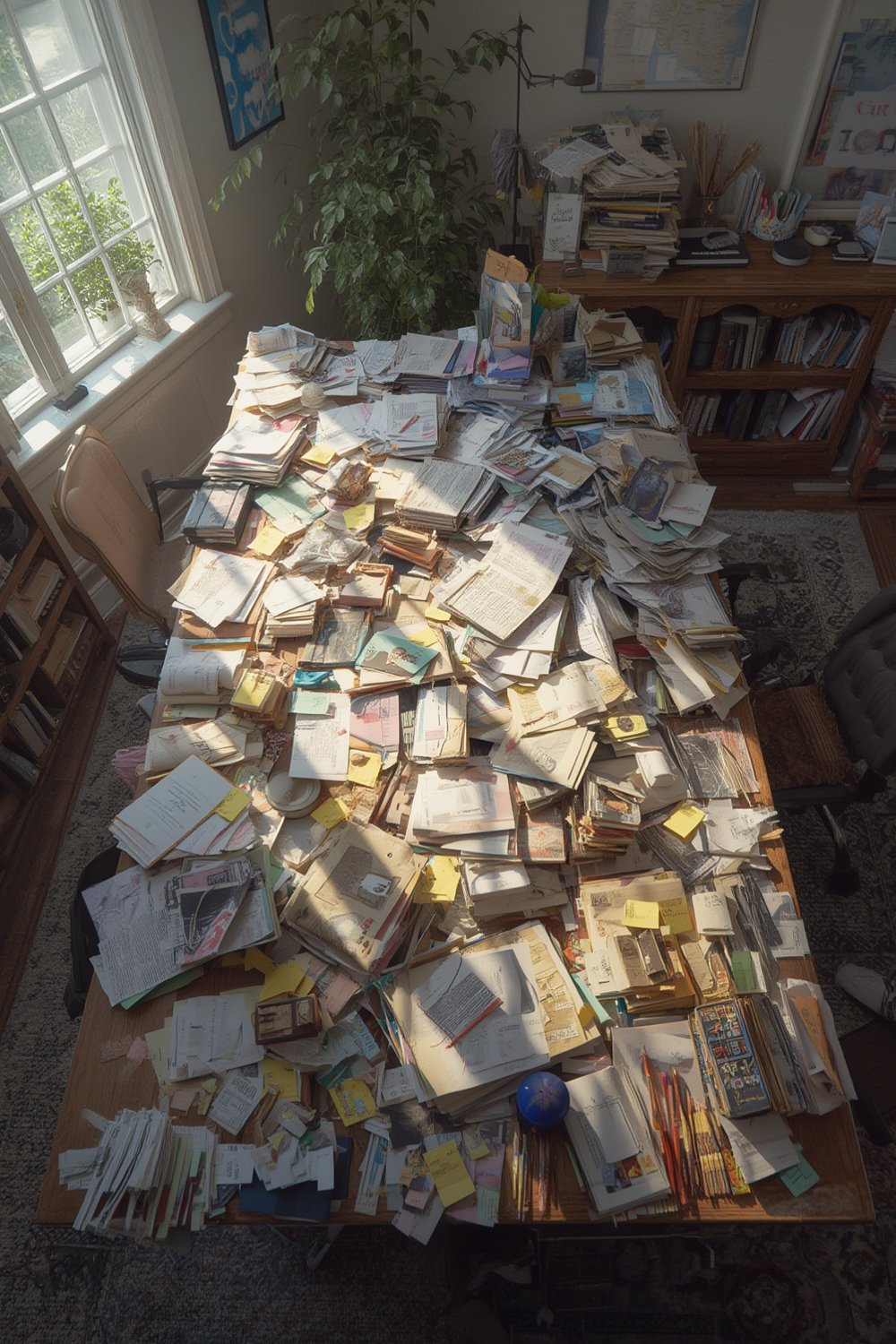
A well-defined paper declutter strategy is relevant for everyone, from accountants worried about IRS retention periods to families overwhelmed by decades of bills, medical records, and warranties. When paired with digital document management systems, the right strategy unlocks enormous benefits: saved time, reduced costs, greater security, and a more organized life.
Already cleaning up your physical spaces? Consider extending your efforts to other problem areas. For example, tackle kitchen clutter with airtight glass food storage jars or apply a fresh approach to organizing sentimental items using the cobwebbing method. Even digital decluttering is worth considering with the rise of paperless living (see our digital declutter guide).
Step-by-Step Guide: How to Overhaul Your Papers in 2026
Decluttering paperwork is rarely a one-afternoon job. You need a plan that factors in legal retention, safe disposal, digital workflows, and—crucially—your time and patience. Here’s a proven step-by-step approach designed for homes, home offices, and small businesses.
-
Prep Your Workspace and Supplies
- Gather shredder, recycling bags, scanner/app (like Adobe Scan or CamScanner), sticky notes, and sorting bins/boxes.
- Designate a “To Do box” for items that require follow-up (e.g., bills to pay, forms to sign).
-
Segment Your Papers (No Pile Paralysis)
- Tackle a single drawer, file box, or desk stack at a time.
- Sort instantly into three categories: Keep (critical/active), Digitize Only, and Shred/Recycle.
-
Follow Practical Retention Guidelines
- Bank statements, tax returns, and legal documents may have legal retention periods (commonly 3–7 years for tax records; check your jurisdiction).
- For uncertainty, digitize and temporarily keep the original for 1–2 years with a labeled “Review/Destroy After [Year]” note.
-
Digitize as You Go
- Use your phone or a desktop scanner—scan each document immediately after sorting.
- Name digital files consistently—include date, type, and relevant party, e.g., “2026-04-Contract-JonesCompany.pdf”.
- Back up to secure cloud storage (Google Drive, Dropbox, or a business-level document management system).
-
Secure Disposal
- Shred all documents containing personal information—bank statements, medical records, or legal contracts.
- Consider third-party shredding services for bulk purges (especially for offices). For an idea of costs, managing paper can run $20 to $220 per document if misplaced or lost, and about $80 per employee per year on paper use alone (source).
-
Establish a Simple Ongoing Workflow
- Automate digital document filing whenever possible; set up email rules to direct bills and statements into folders.
- Commit to a 10-minute weekly review to catch new paper before it piles up. Need inspiration? The 10-minute declutter challenge works for paper, too.

For households struggling with sentimental paper—old cards, children’s artwork, handwritten recipes—use the Swedish death cleaning mindset. Consider if these items will truly matter in a decade, or if a high-quality scan/photo is enough.
Want even more shortcuts? Leverage AI home organizers or smart scanning apps to automatically name and file your digital docs. For a deeper dive, check out our guide on how to use AI as a personal home organizer.
Advanced Analysis & Common Pitfalls
Even with a solid paper declutter strategy, you’re likely to hit frustrating barriers. Let’s break down the most common challenges and compare traditional versus modern approaches.
| Pitfall | Traditional (All Paper) | Modern Strategy (Hybrid/Digital) |
|---|---|---|
| Decision Paralysis | Overwhelm leads to endless sorting piles, no progress. | Quick categories: Keep, Digitize, Shred—reduces overthinking. |
| Legal Uncertainty | Unsure what to keep or toss—risk of accidental loss. | Consult simple retention charts; digitize then review later if uncertain. |
| Security Risks | Sensitive docs can be left unsecured, easily lost or breached. | Immediate shredding; encrypted cloud backups. Data breach rates drop 40 percent with digitization. |
| Time Sink | Searching for documents eats 30–40% of work hours. | Digital search cuts retrieval by 80%. Source |
| Space Waste | Filing cabinets and boxes eat up valuable space. | 75% reduction in storage space needed with digital files. |
Other realistic hurdles include underestimating how long sorting will take, or delaying because you “might need it someday.” Emotional attachment—especially with old photos, letters, or children’s schoolwork—can be a real barrier. For these scenarios, use the guilt clutter method to rationalize and release.
You should also watch for workflow backsliding. Without an ongoing system (like the “10-minute review”), new paper will creep back—undoing all your progress. If managing large volumes or complex business documents, don’t ignore the costs of professional shredding and secure digital conversion. Failing to budget for these expenses can cause delays or accidental security lapses.

Conclusion
Tackling paperwork doesn’t need to feel impossible. By blending a few hours of focused purging with digital tools, sensible retention, and weekly habits, you can declutter your paper for good. The overall productivity payoff? Up to 40 percent more efficiency, reduced costs, and less stress—provided you use a practical paper declutter strategy rather than wishful thinking or one-time purges.
Start your overhaul with a single drawer, adopt a digital workflow, and get ahead of new paper before it piles up. If you’re ready for deeper organizing, explore our three-step tidy home guide or jump into a 5-day clutter shakedown—because true organization is a habit, not a marathon.
Ready to reclaim your space? Start implementing your paper declutter strategy today and enjoy the freedom from unnecessary paperwork.
FAQ: Paper Declutter Strategy
What papers should I keep and for how long?
Keep vital records (birth certificates, deeds, marriage licenses) indefinitely. Tax records: usually 3 to 7 years, depending on your region and circumstance. For all other papers, when in doubt, scan and store digitally while awaiting certainty.
What is the fastest way to declutter a large pile of papers?
Use the “drawer dumping method”: dump all papers in a bin, and sort immediately into keep, digitize/shred, or recycle. Avoid “maybe” piles. Break the job into 30-minute sessions to avoid burnout.
Are digital copies legally valid if I shred my originals?
Often yes, especially for scanned PDFs with metadata. However, check local laws for tax and legal documents. When uncertain, keep originals for at least a year after scanning, then revisit.
Is shredding at home enough for sensitive documents?
Home shredders are fine for most cases, but for high-volume or very sensitive data, use a certified bulk shredding provider to ensure compliance and peace of mind.
How can I stop paper clutter from accumulating again?
Build an ongoing workflow—digitize incoming mail on arrival, automate digital storage, and do a weekly review. Short, regular cleanup is far more effective than annual marathons.